
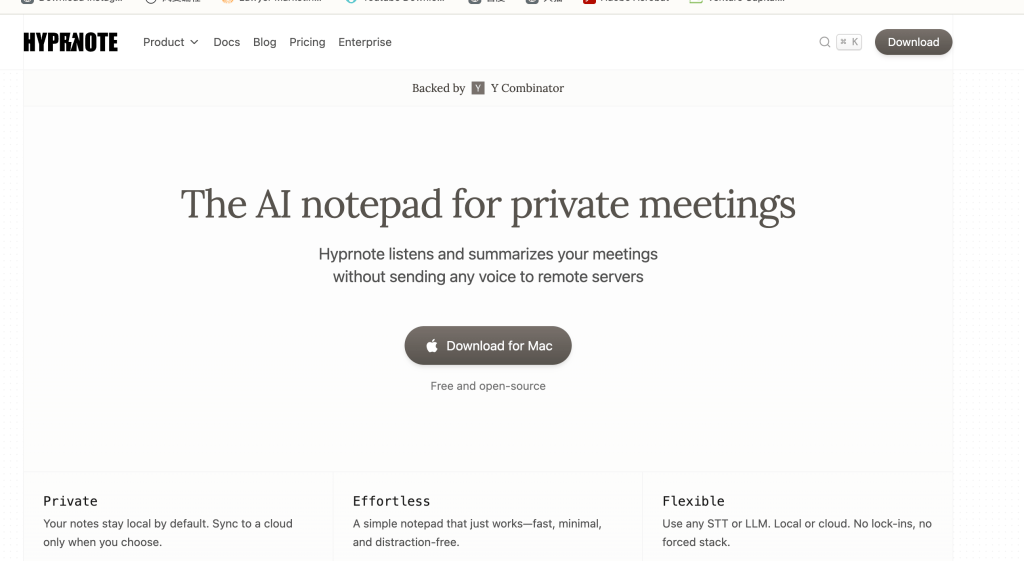
If you’ve avoided AI note-takers because you don’t want bots in your Zoom—or your audio leaving your laptop—Hyprnote is the one to try. It’s an on-device AI notepad for macOS that listens while you take notes, then fuses your bullets with a transcript into a clean, structured summary—without sending data to the cloud.
What Hyprnote is (and isn’t)
Hyprnote is a Mac app (Apple Silicon and Intel; macOS Sonoma 14.2+). Instead of joining calls as a bot, it captures your system audio + microphone, so it works for both virtual and in-person meetings. You type quick bullets, and Hyprnote keeps track of everything that’s said. After the meeting, it merges your notes and the transcript into a share-ready recap.
It’s built around a local-first pipeline with offline transcription and summaries. You can also connect your own models if your team prefers a specific STT/LLM setup.
Hyprnote’s backers include Y Combinator, Pioneer Fund, and Krew, which is helpful if you’re standardizing on tools with real support behind them.
Why the local-first approach matters
Most AI note-takers rely on cloud capture and remote LLMs. That’s a non-starter for regulated industries, R&D, or exec staff meetings. Hyprnote’s design flips the default:
- No call-joining bots → fewer consent and compliance headaches.
- No audio off your device → dramatically lower data-exposure risk.
- Works fully offline → reliable on planes, in labs, or behind strict firewalls.
For many teams, that’s the difference between “cool demo” and “deployable software.”
The meeting flow (end to end)
During the meeting
Keep typing simple bullets. Hyprnote listens in the background and understands context—decisions, owners, deadlines—without you babysitting the transcript.
After the meeting
It automatically produces a structured summary: topics discussed, decisions made, owners + due dates, and next steps. Think of it as an EA who knows your style and formats notes the way your team expects.
The example content on their site mirrors real product workflows—UI changes, urgent dashboards, A/B test plans, metrics reviews—so you can see how the summaries land in day-to-day work.
Features that stand out
- Local transcription & summaries: on-device STT and LLM pipelines; you control where data lives.
- “No Bots” capture model: records system audio + mic for both virtual and in-person meetings.
- Templates & granularity controls: tune summaries for standups, customer calls, design reviews, QBRs.
- Speaker identification, calendar integration, search, notifications (included in Free).
- Bring-your-own models: plug in the providers you already trust.
- Annotations & “chat with your meeting notes”: highlight details, then query the recap like a knowledge base.
- Floating recording controls & auto-start/stop: handy for ad-hoc conversations.
- Enterprise controls: SSO (SAML/OIDC), MFA, advanced access management, smart consent tooling, customizable UI/extensions, and a custom agentic workflow builder.
Deployment options that match real risk profiles
Hyprnote isn’t just “an app.” There’s a deployment matrix to fit different environments:
- Edge-only for air-gapped labs and field teams
- Prem-hybrid / All-prem for hospitals, call centers, defense, and high-reg finance
- Edge-cloud / Full SaaS for startups and teams wanting zero setup
You can keep STT/LLM/DB on-device, on-prem, or in the cloud—mix and match as needed.
Pricing
- Free: Unlimited AI summaries, bring-your-own models, speaker ID, calendar, search, pre-meeting notifications.
- Pro – $8/month: Everything in Free plus custom templates, summary granularity, chat with notes, transcript annotations, floating controls, and auto-start/stop.
- Enterprise – custom: Everything in Pro plus secure team sharing, SSO/MFA, advanced access controls, smart consent, customizable UI/extensions, and the agentic workflow builder.
Value-wise, the Pro tier is aggressive—especially considering you can keep data fully local.
Where it fits vs. cloud note-takers
If you like the convenience of mainstream cloud note-takers but can’t adopt their capture model, Hyprnote delivers similar workflow wins with materially lower data risk. The local-first architecture and flexible deployments make it viable for privacy-sensitive teams that previously had to sit out the AI notetaker trend.
Getting started (fast)
- Download the app for Apple Silicon or Intel (macOS Sonoma 14.2+).
- Grant audio permissions and pick inputs for mic + system audio.
- Choose your STT/LLM setup: stay local or connect your own.
- Create a template that matches your team’s style (standup, customer call, design review).
- Record + type bullets as usual; ship the auto-generated recap when you’re done.
What I’d still love to see
- Windows & mobile: Mac-first is great, but cross-platform would widen adoption.
- Deeper admin analytics: for large deployments, audit trails and usage insights would be welcome.
Bottom line
Hyprnote nails the trade-off that kept a lot of teams on the sidelines: real AI assistance without surrendering calls to third-party clouds or bots. With a thoughtful UX, a flexible deployment story, and a sensible $8 Pro tier, it’s an easy recommendation for product and engineering groups, hospitals, banks, labs—anyone who needs notes that are accurate, instant, and theirs. If you’ve been waiting for an AI notetaker you can actually bring to work, this is the one.

 Top AI Product
Leave a comment